DeviceCare Installation Guide
Complete walkthrough for installing Endress+Hauser DeviceCare software
What is DeviceCare?
DeviceCare is Endress+Hauser's free device configuration tool that allows you to configure, diagnose, and maintain your field instruments. This guide will walk you through the complete installation process.
Access the Software Portal
Open your default web browser
Navigate to the Endress+Hauser Software Portal:
www.software-products.endress.com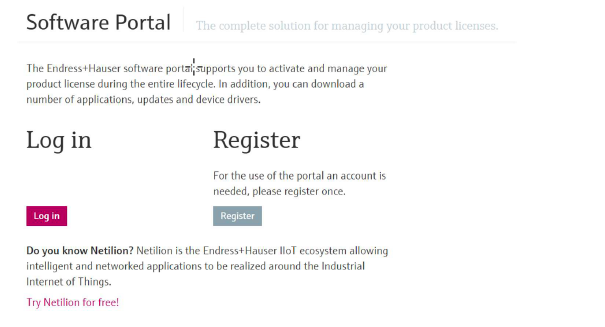
Log In or Create Account
Existing Users
Log in with your myEndress account credentials
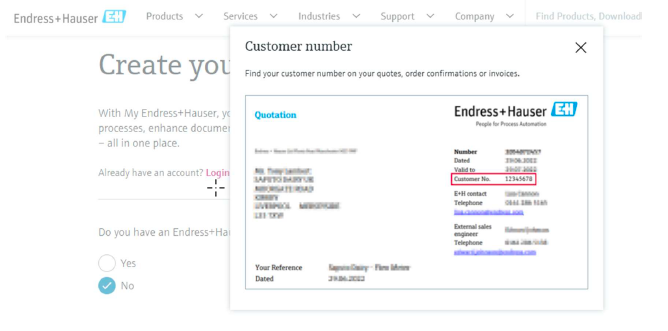
New Users - Important Tips:
- Include your customer number (found on quotes, invoices, etc.)
- Use your company email address (not Gmail, Hotmail, etc.)
- This links your account to your company's profile
- Check your email to verify your account after registration
Download the Software
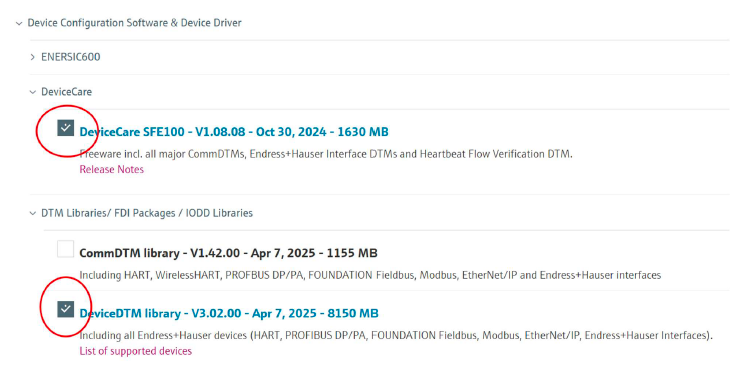
Click on "Download" in the portal navigation
Expand and select the following:
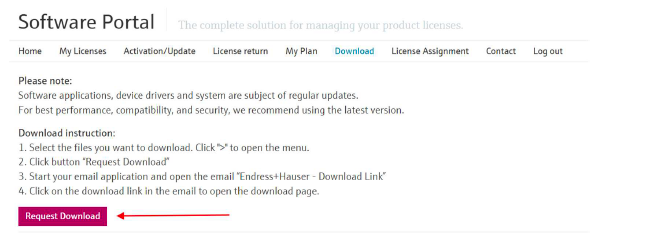
Click "Request Download"
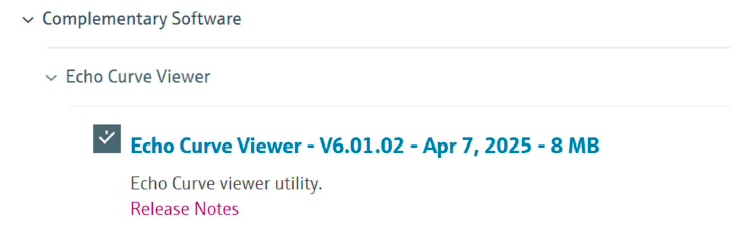
Tip for Radar Users: If you work with radars (Levelflex, Micropilot, etc.), we recommend also downloading the "Echo Curve Viewer" to view envelope curves offline.
Receive Download Links
Check your email for download links from Endress+Hauser
Click the link to open the download page in your browser
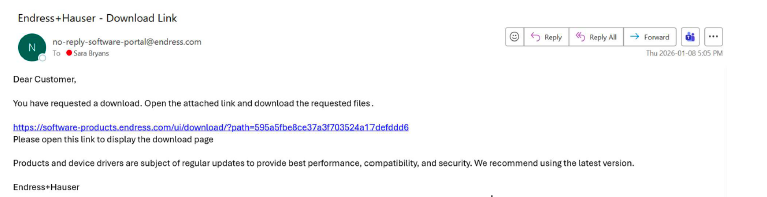
Download each file by clicking on it
Important: Allow all downloads to complete before opening any files.
Install DeviceCare
Requirement: You must have administrator rights on your PC
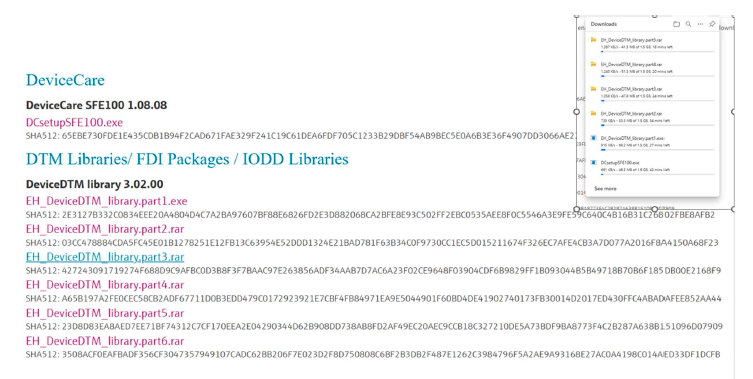
- Navigate to your Downloads folder
- Open the executable file
DCSetupSFE100 - Click "Run" when prompted
- Click "I Agree" to allow the app to make changes to your PC
- Select "Create Shortcut to desktop" and click Next
- Select "I trust the listed publishers" and click Next
Do not interrupt the installation process. Wait for it to complete fully.
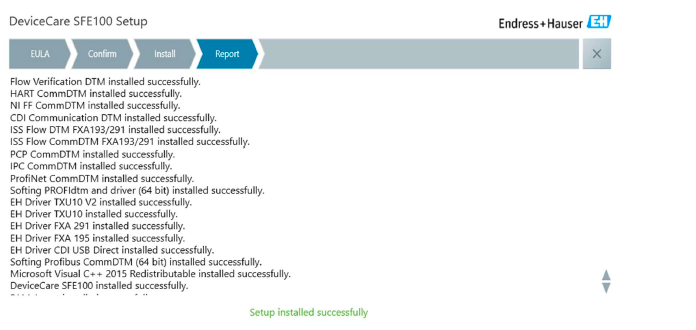
When complete, a report will display all installed components. Close the window.
If DeviceCare opens automatically, close it and continue with DTM installation.
Install DTM Library
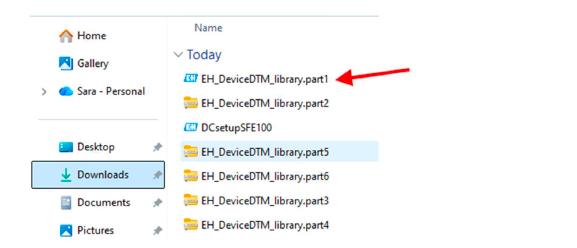
- Open your Downloads folder again
- Open the file
EH_DeviceDTM_library.part1 - Click "Execute" when prompted to start the download
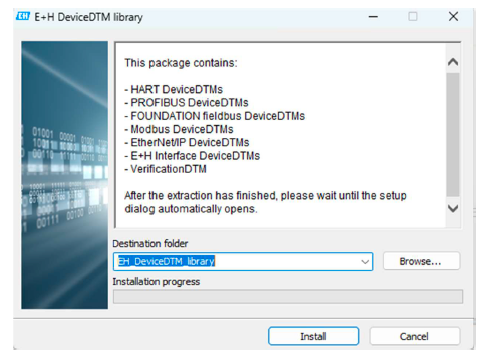
- Click "Install"
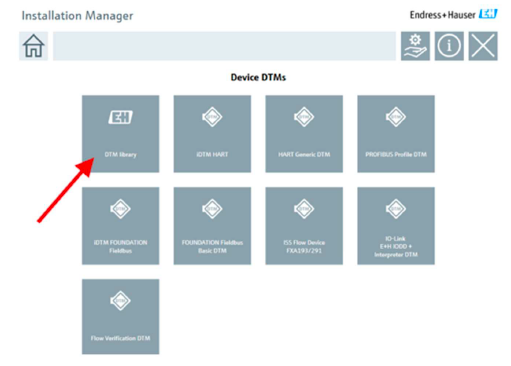
- In the Install Manager, select "DTM Library"
- Accept the license terms and conditions, then click Next
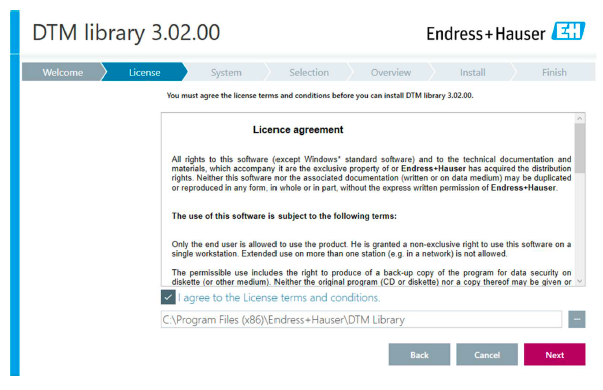
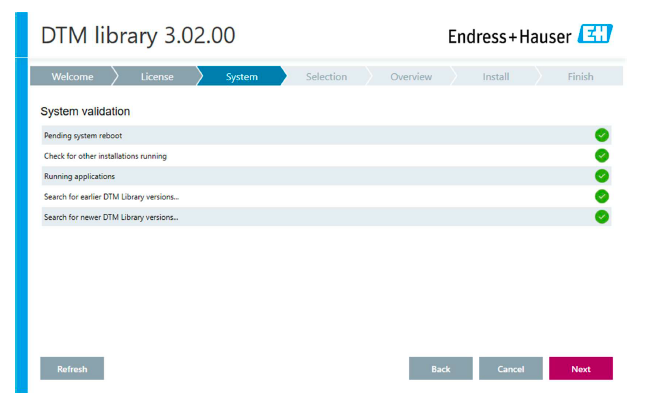
- Wait for validation - ensure all categories show green checkmarks
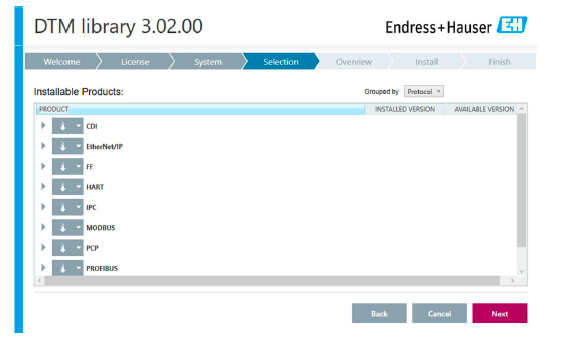
- Review the list of products to be installed, then click Next
- Verify you have enough memory available, then click "Install"
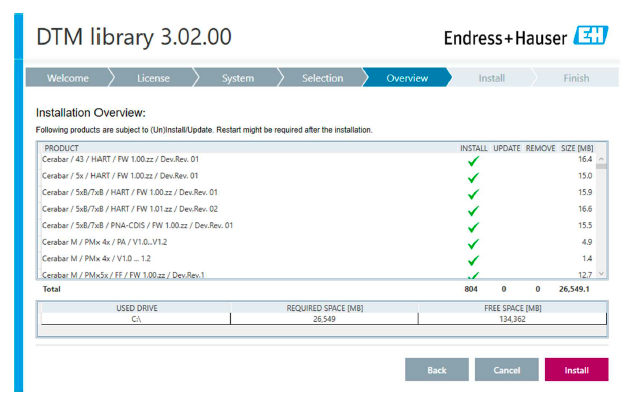
The DTM library requires approximately 26GB of disk space. Ensure you have sufficient storage before proceeding.
Wait for installation to complete, then close the popup window.
Activate DeviceCare
- Open the newly installed DeviceCare software
- You will see a "Software Activation" dialog indicating the trial period
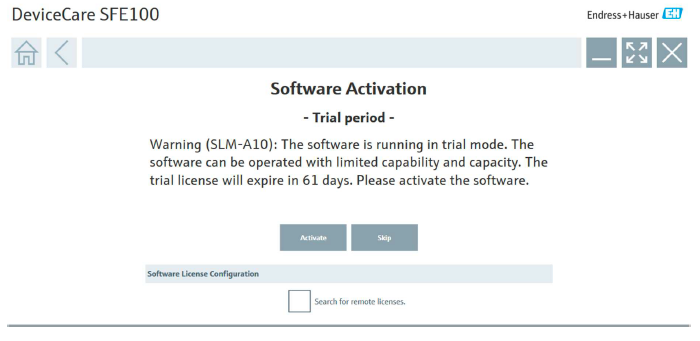
- Click "Activate"
- Enter your myEndress credentials (created in Step 2)
- Click "Activate" to complete the activation
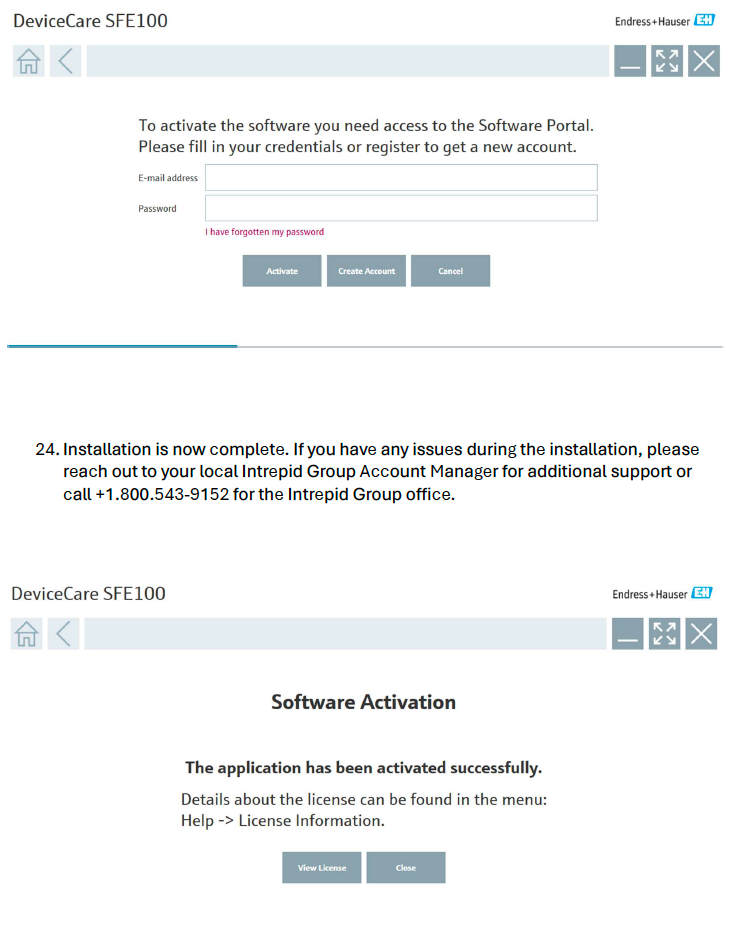
Installation Complete!
Your DeviceCare software is now fully licensed and linked to your account.
Need Help?
If you encounter any issues during the installation process, our team is here to help.
Phone: +1 (800) 543-9152
Contact your local Intrepid Group Account Manager for additional support.